Column Profiles
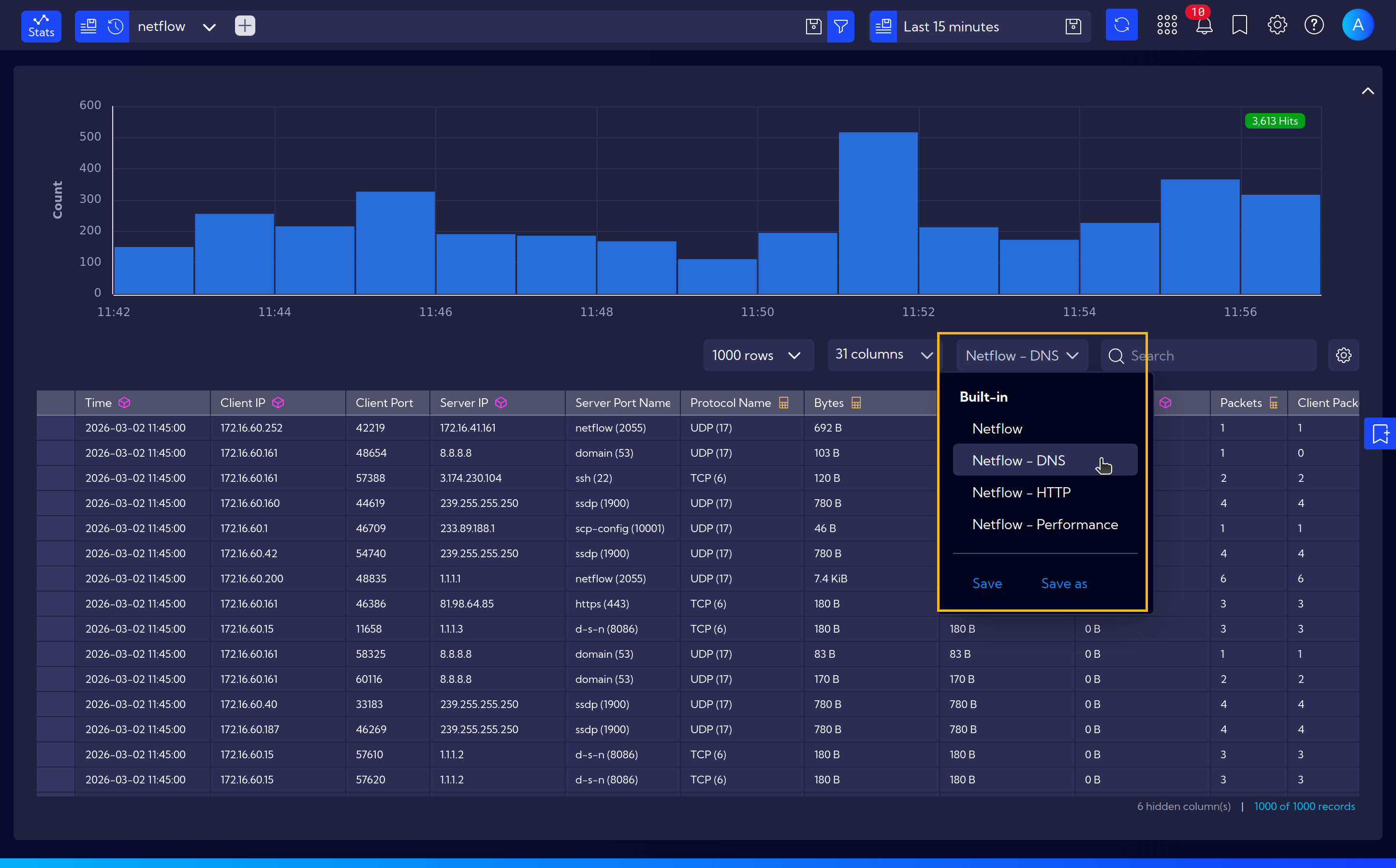
Column Profiles allow you to quickly switch between predefined sets of columns displayed in table views. Each profile defines a selection of columns for a specific data stream, enabling fast toggling between different views without manually selecting columns each time.
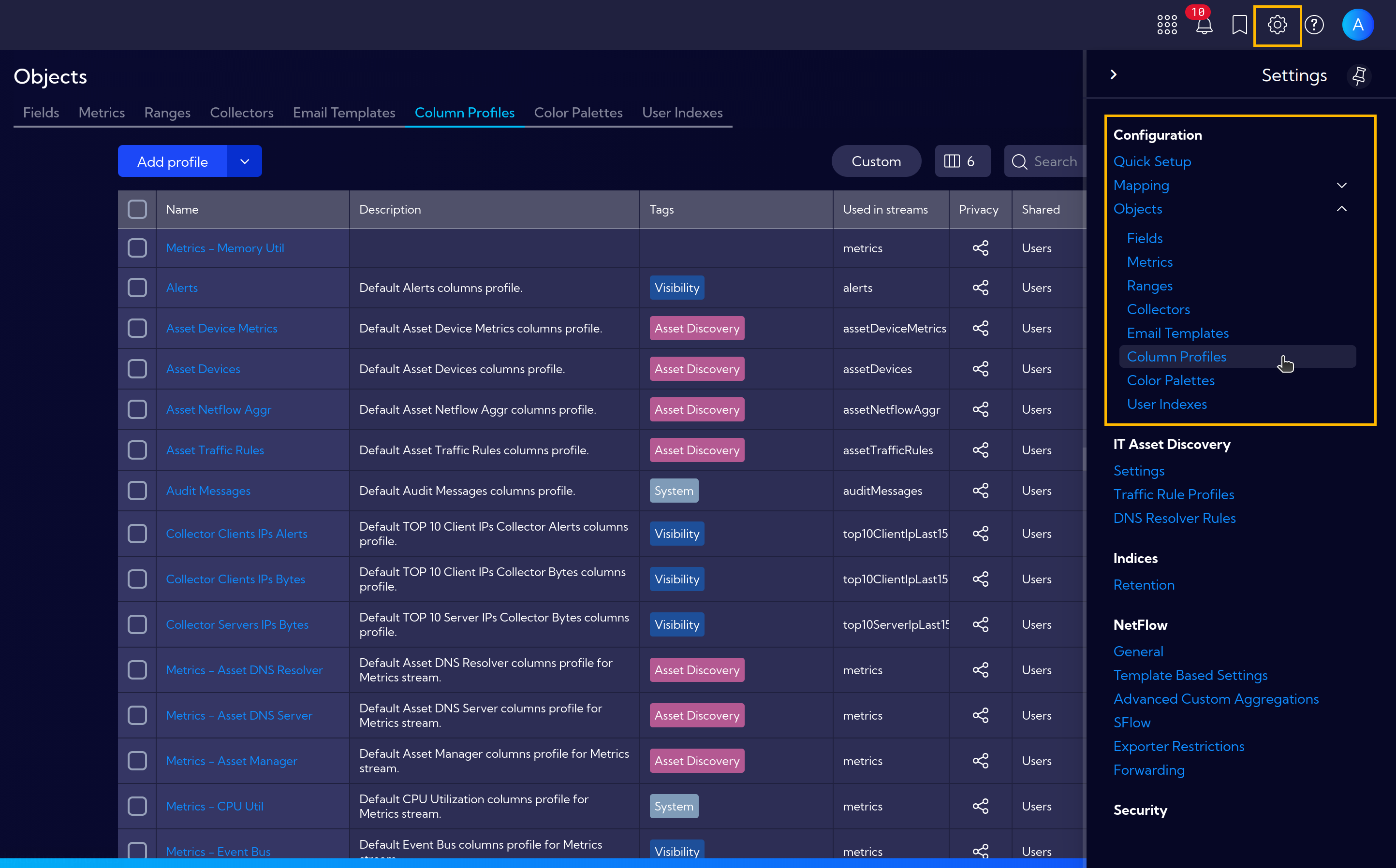
The menu [Settings > Configuration > Objects > Column Profiles] can be used to manage Column Profiles. Here you can create new profiles, edit existing ones, and delete profiles that are no longer needed.
Creating a New Column Profile
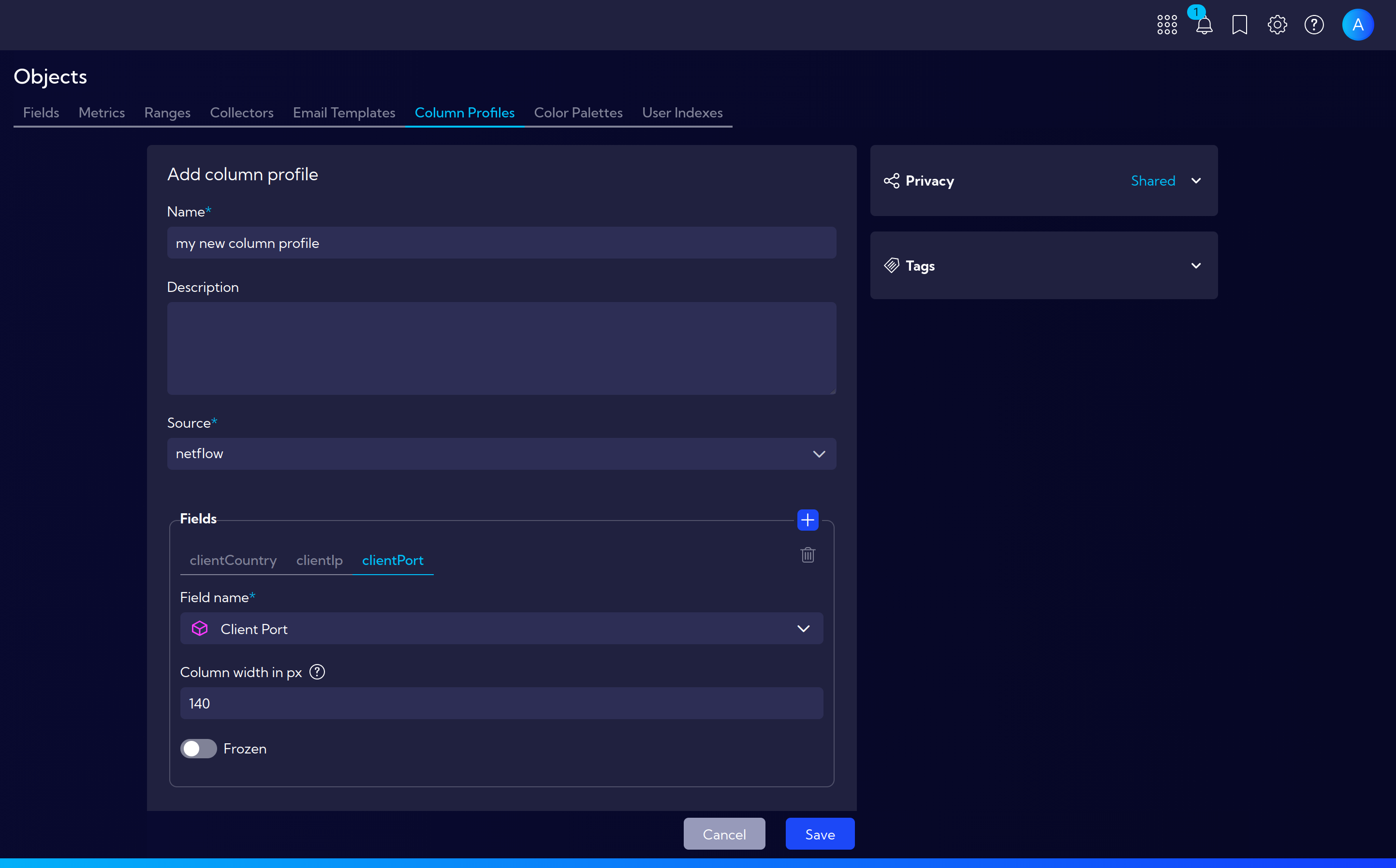
To create a new Column Profile, click the Add profile button. The profile creation wizard will appear with the following fields:
- Name - a unique name for the new profile
- Source - the data stream to which the profile applies
- Fields - select the fields (columns) to be visible when the profile is active
After completing the configuration, click Save. The new profile will be available for selection in the stream table view.